Skip to main contentSkip to service detailsSkip to contact
Ocean View Games
Ocean View
Games
Legacy Game Modernisation

Legacy Game Modernisation

Flash to HTML5. Java to Unity. We reverse-engineer, rebuild, and relaunch games from obsolete platforms.

Breathing New Life Into Classic Games

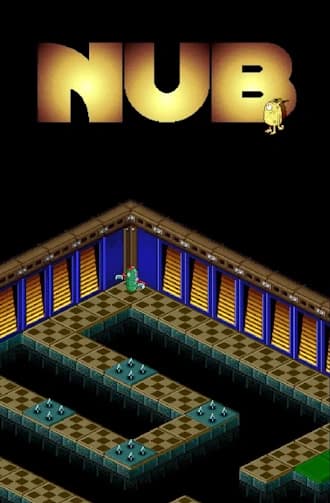
Flash is dead. Old Unity versions break. App stores delist non-compliant builds. Java applets no longer run in browsers. If your game or interactive content is stuck on an obsolete platform, we can bring it back to life. We specialise in rescuing legacy titles, including cases where the original source code has been lost entirely. Our team's preservation experience includes rebuilding the Museum of London's Great Fire of London educational game from a published SWF file with no source code available (during David's time at fish in a bottle), and reconstructing Inferna Games' Nub from its original native Java source into Unity for cross-platform deployment. Whether your content was built in Flash, an older version of Unity, native Java, or another legacy platform, we preserve the gameplay your audience depends on while modernising everything underneath: browser compatibility, mobile responsiveness, accessibility, and platform compliance.

Our Modernisation Services

🔥

Flash to HTML5 Conversion

Full-fidelity ports of Flash games to HTML5/WebGL, preserving animations, interactivity, and game logic for modern browsers and mobile devices.

⬆️

Legacy Unity Upgrades

Systematic upgrades across major Unity versions - fixing obsolete APIs, deprecated packages, and broken physics/lighting for a stable modern LTS build.

🔧

Codebase Recovery & Rebuild

When source code is lost, we decompile existing builds to recover assets and reconstruct the game in a modern engine like Unity.

Accessibility Modernisation

Updating UI for modern aspect ratios, adding touchscreen support, and implementing accessibility features that weren’t standard when the game was first released.

📲

Store Re-Listing & Compliance

Bringing delisted games back to the App Store and Google Play by meeting current requirements: 64-bit compliance, API levels, GDPR, and ATT policies.

Flash to HTML5 Conversion

Adobe ended Flash support in December 2020 and every major browser has removed it. If your organisation still has interactive content built in Flash, whether that's educational games, training simulations, museum exhibits, or marketing interactives, your users can no longer access them. For most organisations, this isn't just a technical inconvenience. That Flash game might represent years of curriculum development, significant original investment, or an irreplaceable educational resource that teachers and learners still depend on. Walking away from it isn't an option. Rebuilding from scratch with a new design team is expensive and unnecessary. We convert existing Flash content to HTML5 or Unity, preserving the original gameplay, design, and learning outcomes while making it work on every modern browser, tablet, and phone.

With Source Code

If you have the original .fla or .as source files, conversion is relatively straightforward. We analyse the ActionScript codebase, map the game logic and asset dependencies, and rebuild the equivalent systems in HTML5 (Canvas/WebGL) or Unity (targeting WebGL export). Original art assets, animations, and audio can often be extracted and reused directly, significantly reducing cost and timeline.

Without Source Code

If your source code has been lost, which is more common than most organisations expect, we reverse-engineer the published .swf file. We decompile the SWF to recover asset structures, analyse the gameplay through systematic playtesting, and reconstruct the logic from observed behaviour. This is exactly what was done for the Museum of London's Great Fire of London game: the original source had been lost entirely, but the team rebuilt the complete experience in HTML5 from the published SWF alone. Read the Fire of London Case Study →

HTML5 or Unity? Choosing the Right Target

HTML5 (Canvas / WebGL)
Best for browser-only deployment, lightweight games, and institutional content that needs to run without installation. No app store submission required, works on Chromebooks and managed devices, and delivers smaller file sizes. Less suitable for complex 3D graphics or heavy physics. Unity (WebGL Export)
Best for complex games, 3D content, and projects that may later need iOS, Android, or desktop versions. Richer graphics, cross-platform deployment from a single codebase, and access to Unity's full feature set. Larger download size and longer initial load in browser. We advise on the best option during the assessment phase based on your content complexity, target devices, and future platform needs.

What We Preserve and What We Improve

Preserved

  • Original gameplay mechanics and game feel
  • Visual design, art style, and character animations
  • Audio, sound effects, and music
  • Story, narrative flow, and level progression
  • Scoring systems, leaderboards, and save states
  • Educational content, quiz logic, and learning outcomes

Improved

  • Mobile support

    Touch controls, responsive layouts, Safe Area UI for notches and tablets

  • Accessibility

    Screen reader support, keyboard navigation, colour-blind modes, adjustable text size, WCAG 2.1 compliance

  • Browser compatibility

    Works on Chrome, Safari, Firefox, and Edge without plugins

  • Performance

    Faster load times, smaller file sizes, no plugin overhead

  • LMS integration

    SCORM/xAPI compliance for tracking learner progress

  • Analytics

    Player behaviour tracking, completion rates, engagement metrics

  • Security

    No Flash vulnerabilities, GDPR-compliant data handling, HTTPS by default

  • Multi-language support

    Internationalisation architecture for localised content

Why Choose Us?

🔬

Reverse-Engineering Experts

Lost your source code? We can decompile existing builds to recover assets and reconstruct game logic in a modern engine - no original project files required.

🔥

Flash-to-HTML5 Specialists

We port end-of-life Flash games to HTML5/WebGL or Unity so they remain playable in modern browsers and on mobile devices without plugins.

🛡️

Gameplay Preservation

Our goal is to preserve the original game feel 1:1 while modernising UX for today’s screens, input methods, and accessibility standards.

Legacy Tech Stack

Bridging the gap between vintage code and modern screens:

Adobe Flash Platform Logo
Flash
Unity Game Engine Logo
Unity
WebGL Web Graphics Library Logo
WebGL
HTML5 Web Standard Logo
HTML5

Who Needs Legacy Game Modernisation

🏛️

Museums & Cultural Institutions

You have interactive exhibits, educational games, or gallery installations built in Flash that visitors can no longer access. These experiences often represent significant curatorial and educational investment. We rebuild them for modern browsers and touchscreen kiosks without losing the original design intent.

See our work for museums
🎓

Universities & Schools

Your curriculum includes Flash-based learning games, simulations, or assessment tools that teachers and students still rely on. Replacing them with off-the-shelf alternatives means losing the curriculum alignment you spent years developing. We convert them to HTML5 with LMS integration so they work in your existing digital learning environment.

See our work for education
📚

Publishers

You have a catalogue of Flash-based interactive content: children's games, language learning tools, or supplementary educational materials. Converting to HTML5 extends the commercial life of content you've already paid to develop, reaching mobile and tablet audiences that Flash never could.

🏢

Corporate Training Teams

Your onboarding, compliance, or skills training includes Flash-based modules that your LMS can no longer serve. Rebuilding in HTML5 with SCORM or xAPI compliance means your existing training content keeps working without restarting the instructional design process from scratch.

See our work for corporate training
🎮

Game Studios

You have a legacy game with an active player community that can no longer access it, whether it's a browser-based game, a delisted mobile title, or an older Unity project that no longer compiles. We can port it to HTML5 or modern Unity to keep your players engaged and your content accessible.

See our work for game studios

Our Game Preservation & Upgrade Workflow

Modernising a legacy game is like restoring a classic car. We carefully dismantle the old build, salvage the core components, and rebuild them on a modern engine chassis that can run for another decade.

1. Forensic Audit & Recovery

If the source code is lost, we start with “Digital Archaeology.” We use advanced decompilation tools to extract assets and logic directly from the final build (SWF, APK, or EXE).

  • Decompilation: Using tools like ILSpy or DnSpy to view the original logic inside compiled binaries.
  • Asset Extraction: Recovering original sprites, audio files, and data tables that are locked inside old formats.
  • Feasibility Report: We deliver a roadmap detailing exactly what can be saved and what needs to be rewritten.

2. Engine Reconstruction

We port the logic into a Long-Term Support (LTS) version of Unity. We don’t just wrap the old game; we rebuild the architecture to ensure stability.

  • Logic Porting: Translating ActionScript (Flash) or legacy C++ into clean, modern C# scripts.
  • Bug Fixes: Squashing the decades-old bugs that plagued the original release.
  • Performance Tuning: Optimising the code so the game runs at a smooth 60 FPS on mobile devices, not just high-end PCs.

3. Asset Upscaling & Restoration

Old games often look blurry on modern 4K screens. We enhance the visuals without losing the nostalgic charm.

  • AI Upscaling: Using neural networks to sharpen low-resolution textures and backgrounds.
  • Vectorisation: Converting Flash vector art into crisp SVG or Unity sprites that scale infinitely.
  • UI Redesign: Rebuilding menus to support wide-screen aspect ratios (16:9 or 19.5:9) instead of the old 4:3 box.

4. Modern Compliance & Deployment

The final step is ensuring the game survives the modern app store ecosystem.

  • Input Modernisation: Adding touch-screen gestures, virtual joysticks, or controller support to mouse-only games.
  • Safe Area Implementation: Ensuring UI elements don’t get hidden behind the “Notch” or “Dynamic Island” on modern phones.
  • 64-Bit Compliance: Delivering the mandatory technical updates required by Google Play and the Apple App Store to prevent delisting.

Legacy Modernisation in Practice

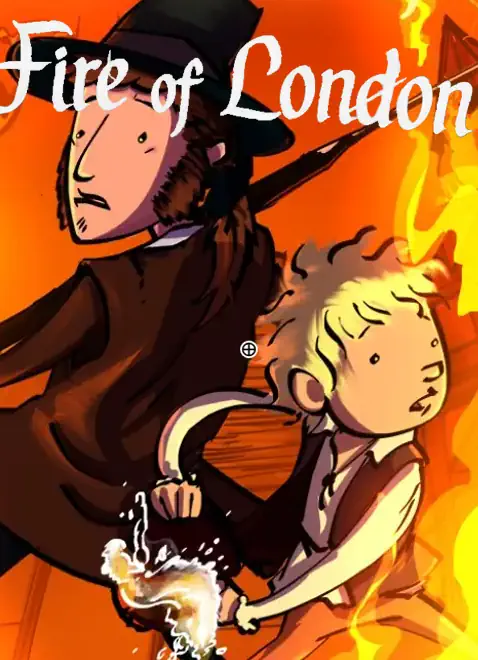
The Great Fire of London

Flash to HTML5, No Source Code • via fish in a bottle

The Museum of London's educational game about the Great Fire of London was built in Flash to commemorate the 350th anniversary. When Flash reached end-of-life, the game became inaccessible to the schools and learners who depended on it. The original source code had been lost entirely. During David's time at fish in a bottle, the team reverse-engineered the published SWF, decompiled it to recover asset structures, reconstructed the gameplay logic through systematic analysis, and rebuilt the entire experience in HTML5. The result is fully responsive across desktop and mobile, accessible to WCAG standards, and still in active use by the museum today.

Flash to HTML5No Source CodeEducationalMuseum of London
Read Full Case Study

Nub

Java to Unity Platform Migration

Inferna Games' Nub was an isometric puzzle game originally built as a native Java app for the Ouya Android console. When the Ouya platform failed, the game needed to reach iOS, Android, and Steam. Porting the native Java codebase directly was impractical, so Ocean View Games rebuilt the game from the ground up in Unity using the original Java source as a reference, enabling cross-platform deployment and mobile-optimised controls.

Java to UnityPlatform MigrationCross-Platform
Read Full Case Study

What Does Legacy Modernisation Cost?

Costs depend on the complexity of the original content, whether source code is available, and what modern features need to be added.

Simple Interactive Content

From £3,000 to £8,000

Quizzes, slideshows, basic Flash animations. Straightforward logic, limited interactivity, source code available or simple enough to reverse-engineer quickly.

Medium-Complexity Games

From £8,000 to £25,000

Educational games with multiple levels, scoring, basic physics. This is where most institutional Flash games and older Unity projects fall, including curriculum-aligned learning games with 5 to 15 activities or levels.

Complex Games

From £25,000 to £60,000+

Multiplayer, persistent save states, extensive content, no source code, full engine migration. Projects like the Great Fire of London sit in this range due to the reverse-engineering requirement and the breadth of interactive content.

Legacy Unity Upgrades

From £5,000 to £30,000

Upgrading from older Unity versions (e.g. Unity 5 to Unity 6 LTS) depending on project size, the number of deprecated APIs, and whether third-party plugins need replacing.

All quotes are fixed-price with milestone-based payments. We provide a detailed technical assessment and quote within one week of receiving your legacy content. Get a Free Assessment →

Don’t let your classic game die. We’ll bring it back to life on modern platforms.

Book a Technical Consultation

What Our Clients Say

David did a great job with the project and was able to take a great amount of autonomy. There was very little need to go back and forth and ask him to change anything. His code is also very clean. He laid out his own roadmap plans and worked well with the rest of the team.
Awesome job! I really look forward to working with the guys again very soon!

Don’t Let Your Classic Game Die

Send us your legacy files (SWF, APK, old Unity project, or just a URL where the content used to live) and we'll come back within one week with a technical assessment, conversion options, and a fixed-price quote.

Get a Free Assessment